GoGee Launches blog.gogee.ai: The Complete Content Platform Behind Our Clients' Articles
blog.gogee.ai is our own content platform: an editor built for writing, AI that helps rather than replaces, real SEO tooling, internal link intelligence, scheduling, search and reader analytics. Here is a full walkthrough of every part of it, with screenshots.
Today we are launching blog.gogee.ai, the content platform we have been building and using in anger for the better part of a year. It is the article engine behind the news and resources sections on the sites we build, and from today it is a product our clients can run themselves.
We did not set out to build another blog. We set out because every existing option annoyed us. Traditional content systems are plugin swamps: one plugin for SEO, one for redirects, one for schema, one for scheduling, one for internal links, three for images, and a security patch every second week. The newer hosted writing tools are beautiful and hollow, lovely to type into and useless the moment you care about being found on Google. What we wanted was a single tool where writing, publishing, search visibility and measurement live in the same place, and where AI is an assistant with its hand on the tools rather than a robot writing filler nobody reads.
This article is a full walkthrough. It is long on purpose, because the interesting parts of a content platform are never on the marketing page.
The idea: one place, no plugins, nothing to patch
Everything in blog.gogee.ai runs off one database and one code base. There are no plugins to install, no versions to reconcile and no third-party add-on holding your redirects hostage. Every screen you are about to see is part of the same product and shares the same data, which is why the SEO audit knows what the editor did, the internal link engine knows what the traffic report measured, and the scheduler knows what the author intended.
It sits inside your existing admin area rather than beside it. If you already have a client dashboard from us, the blog appears as one more group in the same sidebar, with the same login, the same theme and the same permissions. No second system, no second password, no second place to remember.
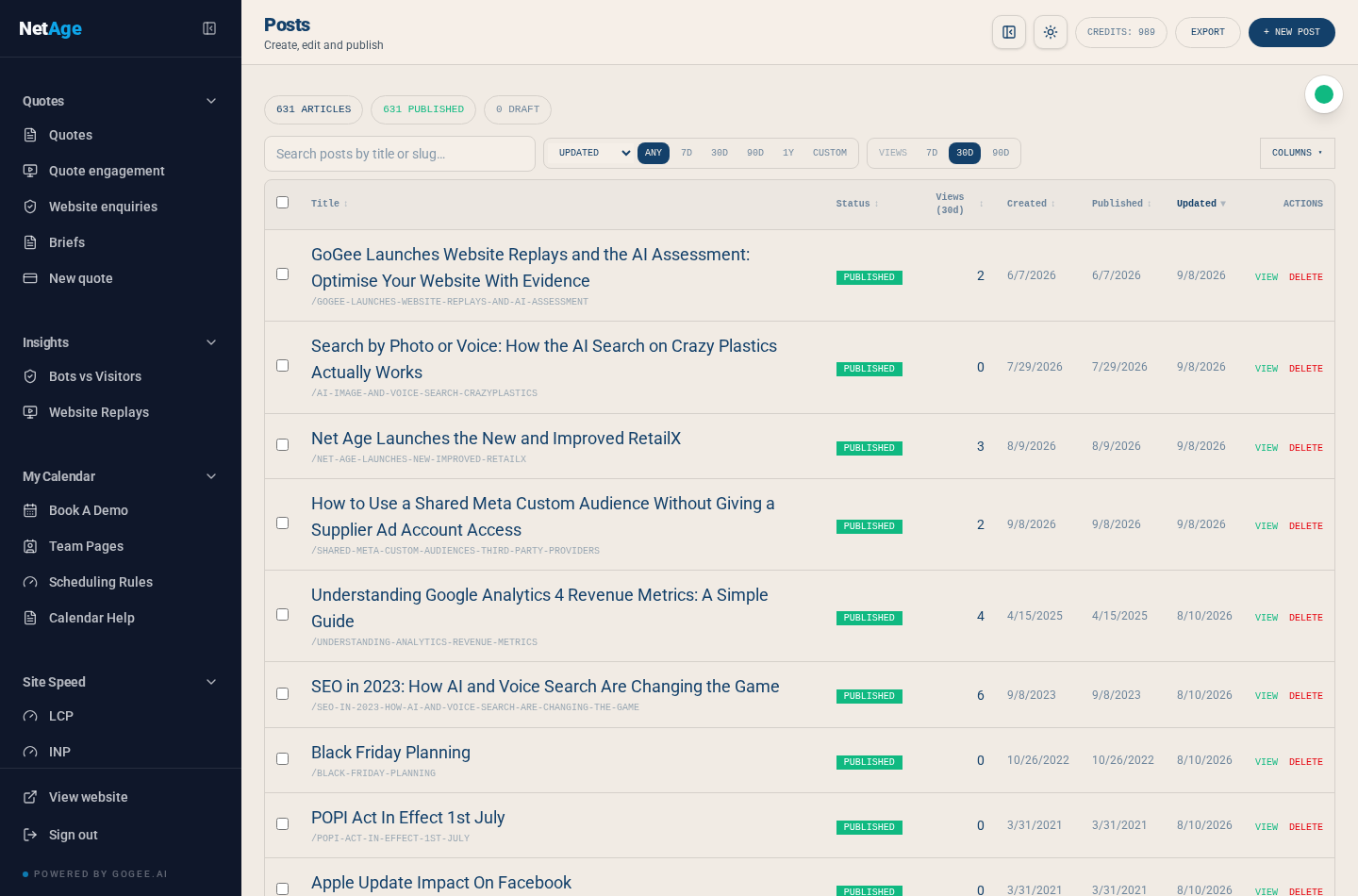
The posts list: the working surface
The list is where content editors actually live, so we spent an unreasonable amount of time on it. Every article shows its status, its views over the period you choose, and three separate dates: when it was written, when it was published, and when it was last meaningfully changed.
Those three dates matter more than people expect. Most systems keep one timestamp and quietly bump it every time somebody fixes a typo, which is how a 2019 article ends up claiming it was updated this morning. In our version, Updated only moves when the body content genuinely changes. Fixing a category or a tag does not pretend to be a rewrite. Search engines see an honest signal, and so do your readers.
From this one screen you can search by title or slug, filter by status, filter by date window, sort by views, choose which columns you want to see, select several articles at once, schedule them, drop them into a drip queue, or export the whole lot. A team of one can run a blog from here. A team of ten can run a content calendar from here.
The editor: written for writers, wired for publishers
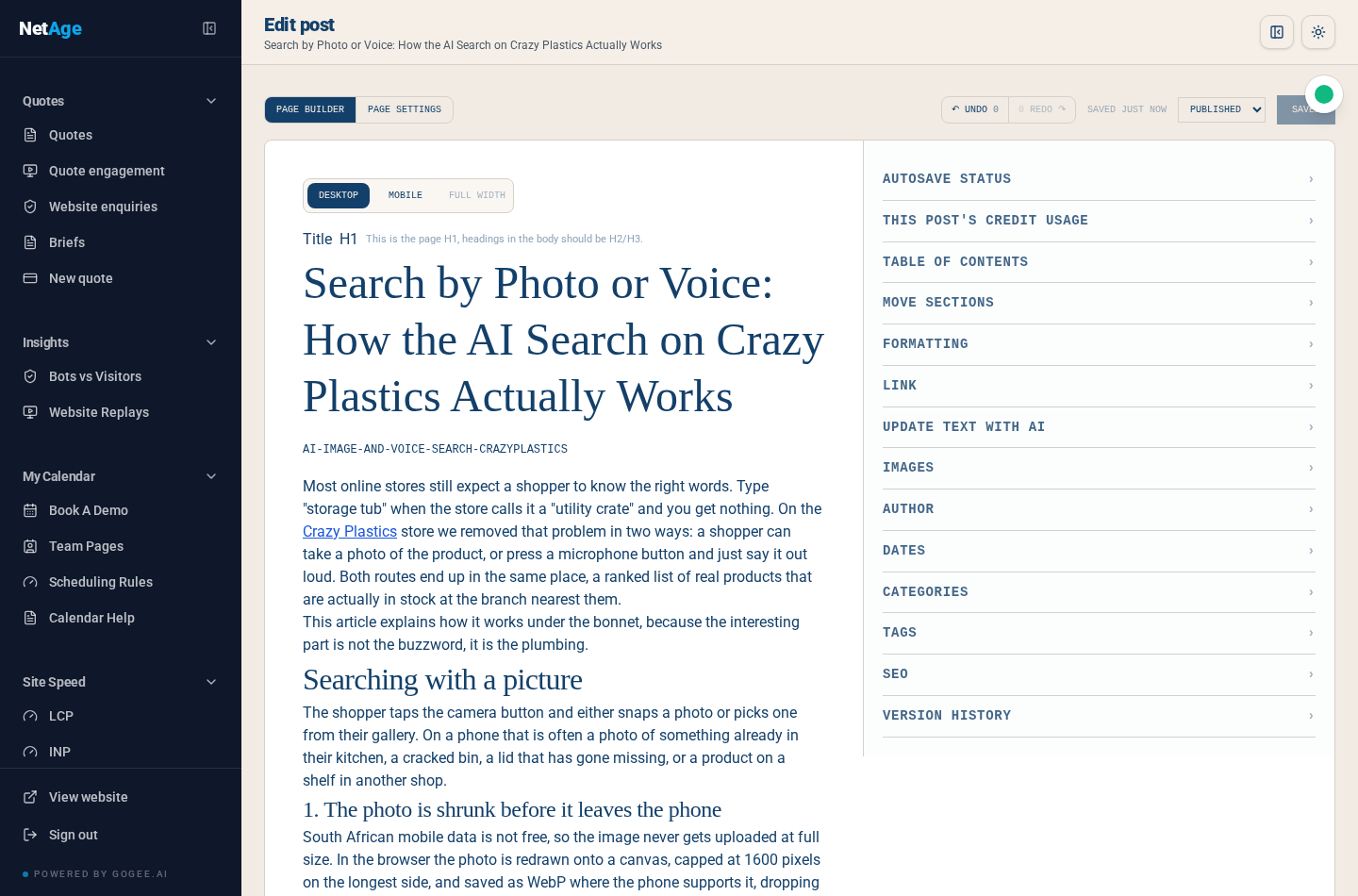
The editor is deliberately split. The left is the article, rendered as the reader will see it, in the real fonts and the real widths. The right is a stack of collapsible panels, each one a job you occasionally need and mostly do not.
What you type is what publishes
There is no separate preview mode, because separate preview modes lie. Desktop, Mobile and Full width toggles change the canvas so you can check how a paragraph breaks on a phone before you publish, not after a client phones you about it.
One H1, always
The title is the page H1 and the body cannot contain another one. This is enforced in the editor itself, not nagged about afterwards. It is a small thing that quietly fixes one of the most common structural SEO faults on the web, where an article carries four competing top-level headings and search engines have to guess which one is the subject.
Your selection survives
A tiny detail we are unreasonably proud of: highlight a sentence, click into a panel on the right, and your selection is still there when you come back. Nearly every rich editor loses it, which makes AI-assisted rewriting of a specific paragraph an exercise in frustration. On a phone the sticky format bar is built never to steal focus for the same reason.
Saving that cannot lose your work
Saves are queued through a single chain and every save carries the version it thinks it is updating. If two people open the same article, the second one is told rather than silently overwriting the first. Every save writes a version you can read and restore, and the browser keeps a local backup so a dead connection or a closed laptop does not cost you an afternoon. The panel on the right tells you plainly when it last saved.
Six ways to start an article
Blank pages are the enemy of publishing schedules, so a new article can begin from any of these:
- Typing. The obvious one.
- A template. Structures we use repeatedly: how-to, comparison, product launch, case study, FAQ.
- Pasting from a chat. Paste a conversation you had with any AI assistant and it is cleaned into a proper article structure with headings, instead of a wall of chat formatting.
- An AI prompt. Describe the article and get a structured first draft to argue with.
- Voice. Talk it out, then press Complete and it transcribes. Deliberately buffered rather than live, because live dictation that appends word by word is unusable for anything longer than a sentence.
- A URL. Import an existing page, yours or a source you are writing about, and start from its content.
AI that edits rather than writes
The "Update text with AI" panel works on what you select. Tighten this paragraph. Make this heading clearer. Rewrite this section for a reader who is not technical. Translate this article. Suggest a description under 160 characters. Fix the passive voice in these three sentences.
This is the deliberate difference between our platform and the generation of tools that produce a thousand words on request. AI is genuinely good at editing, restructuring and summarising text a human already cared about. It is genuinely bad at having something to say. So we pointed it at the first job.
Images, covers and focal points
The image panel generates, refines and manages pictures without leaving the article. Every version is kept: refining an image replaces it in the article but appends to the library, so you can always go back to the one you had three attempts ago.
Covers are handled as two separate images, desktop and mobile, each with its own focal point. Anyone who has watched a beautiful wide cover crop to a person's forehead on a phone will understand why. Every image asks for its description, and a missing one is flagged in the audit rather than politely ignored, because that description is both accessibility and search visibility.
The SEO panel
Live in the sidebar as you write: title length, description length, heading structure, whether the article has any internal links, word count, and reading time. Structured data is generated for you, correctly, including the article schema, the author as a real Person, and a publisher fallback with a logo when an article has no named author. Get that wrong and Google's rich results testing tool complains; ours is built to pass it.
Keyword research: from a list of phrases to a plan
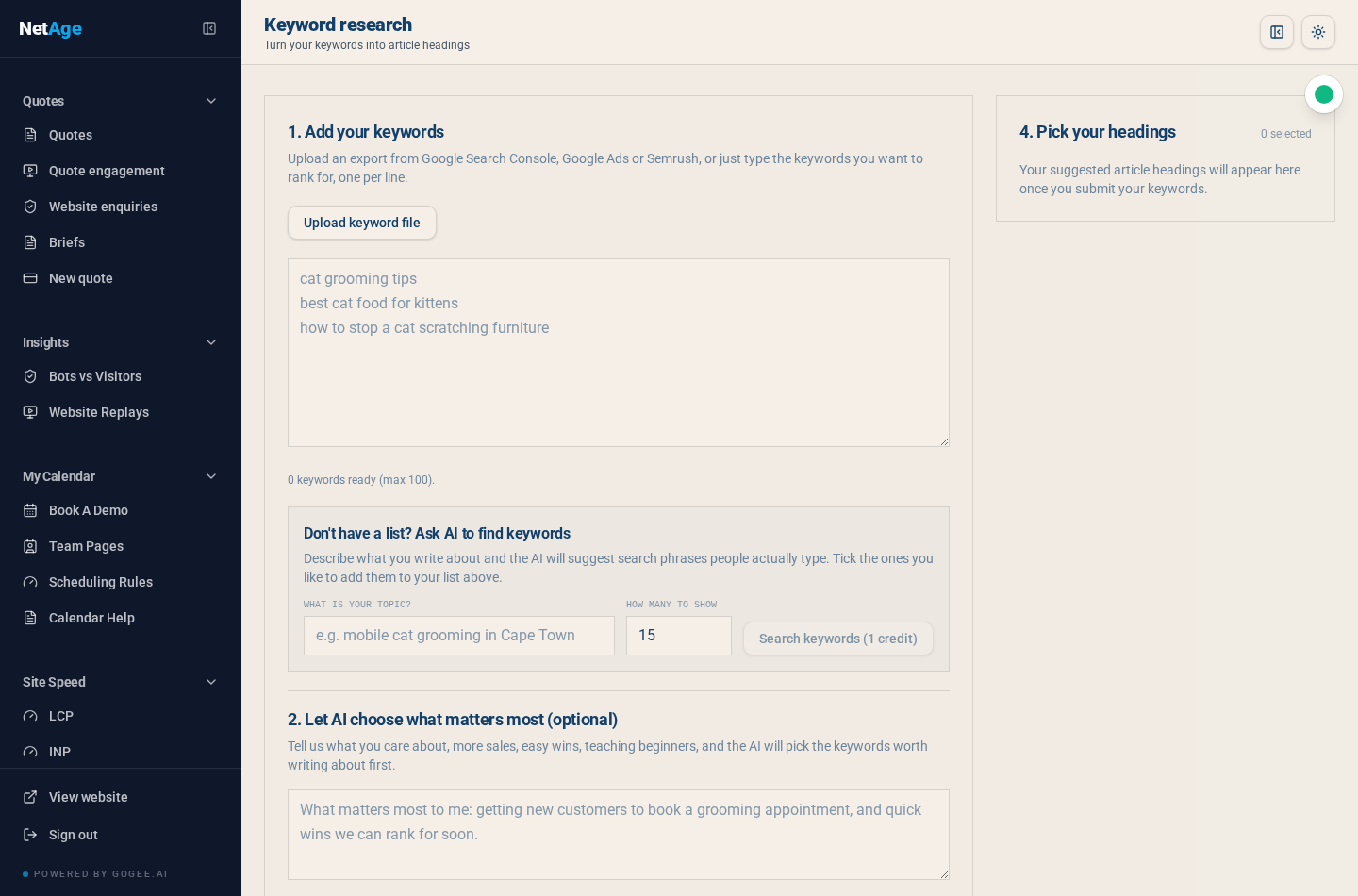
Most content plans die between the keyword spreadsheet and the article. This screen exists to close that gap.
Upload an export from Google Search Console, Google Ads or Semrush, or simply type the phrases you want to rank for, one per line. If you do not have a list at all, describe your topic and the AI proposes search phrases real people actually type, which you tick to add.
Then, optionally, you tell it what matters to you in plain language: more enquiries, quick wins, teaching beginners, defending a term a competitor is taking. It prioritises accordingly and produces suggested article headings, each one a real title you can send straight into the editor as a new draft. The output is not a report you file. It is a queue of articles.
Internal links: the part almost everyone skips
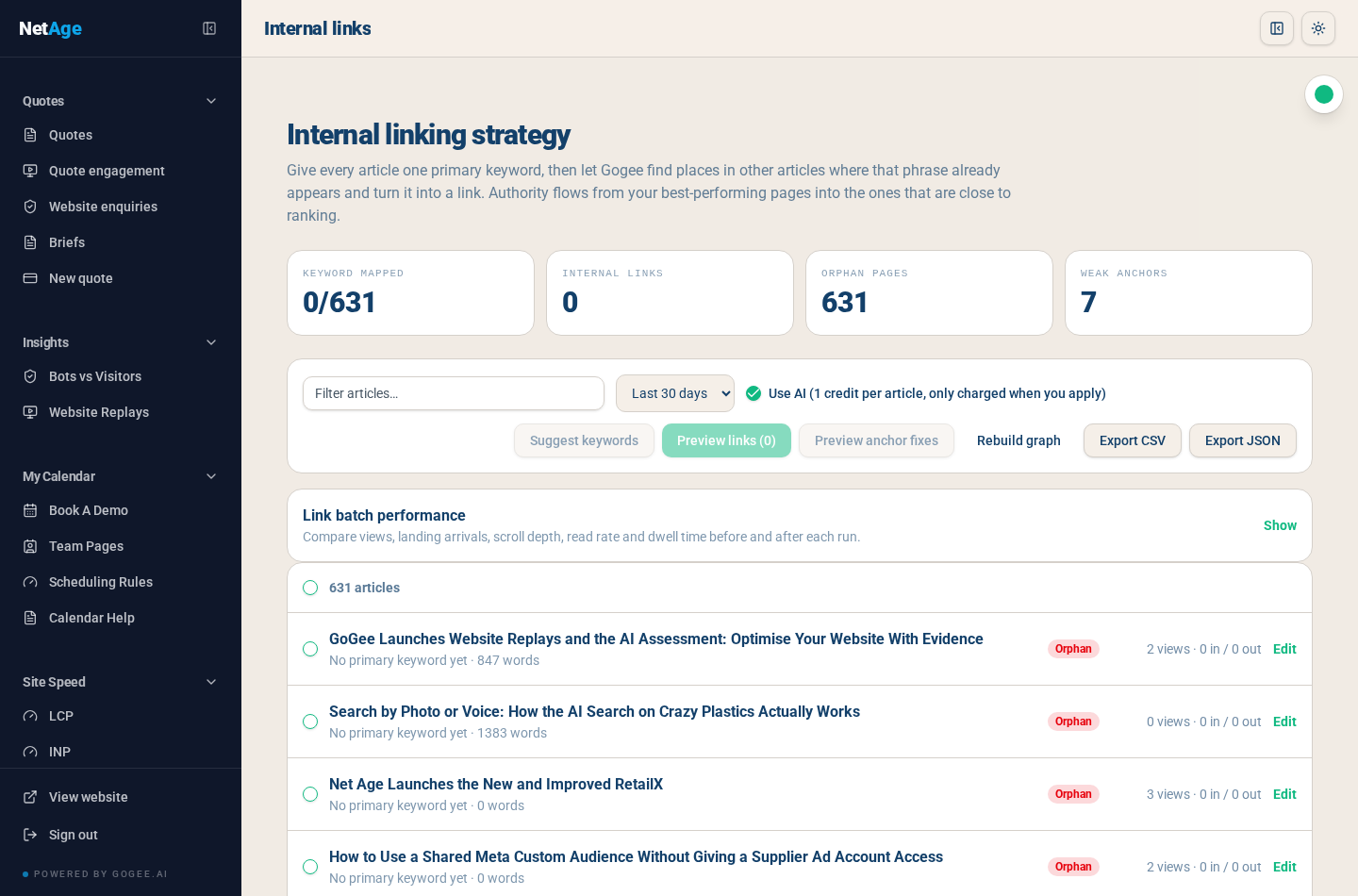
Internal linking is the highest-return, least-glamorous SEO work there is, and it is the first thing to fall off the list. So we automated the tedious half and kept the human in charge of the important half.
The dashboard tells you the truth immediately: how many articles have a primary keyword mapped, how many internal links exist, how many pages are orphans with nothing pointing at them, and how many links use weak anchor text like "click here" or "read more".
Then it works like this. Give an article one primary keyword. The engine scans the rest of your content for places that phrase already appears naturally, and proposes turning those into links. Scanning is free. Suggestions are free. Anchor and image-description fixes are previewed free. You are only charged when you actually apply a batch, and even then you accept, edit or remove each individual link. Nothing is ever inserted into your articles silently.
Hubs, not just posts
The important design decision here is that links do not only point at other articles. Category and tag pages are first-class destinations with their own primary keyword and keyword variants, so a group of related articles can genuinely support one landing page. The hub coverage report shows which hubs are getting support links, which are thin, and which hubs nobody has mapped at all, exportable as CSV or JSON.
And it measures whether it worked
Every applied batch is recorded, so link performance compares views, landing arrivals, scroll depth, read rate and dwell time before and after each run. Articles are classified as winners, risers or orphans. This is the difference between doing internal linking and knowing whether internal linking did anything.
SEO health: an audit in plain English
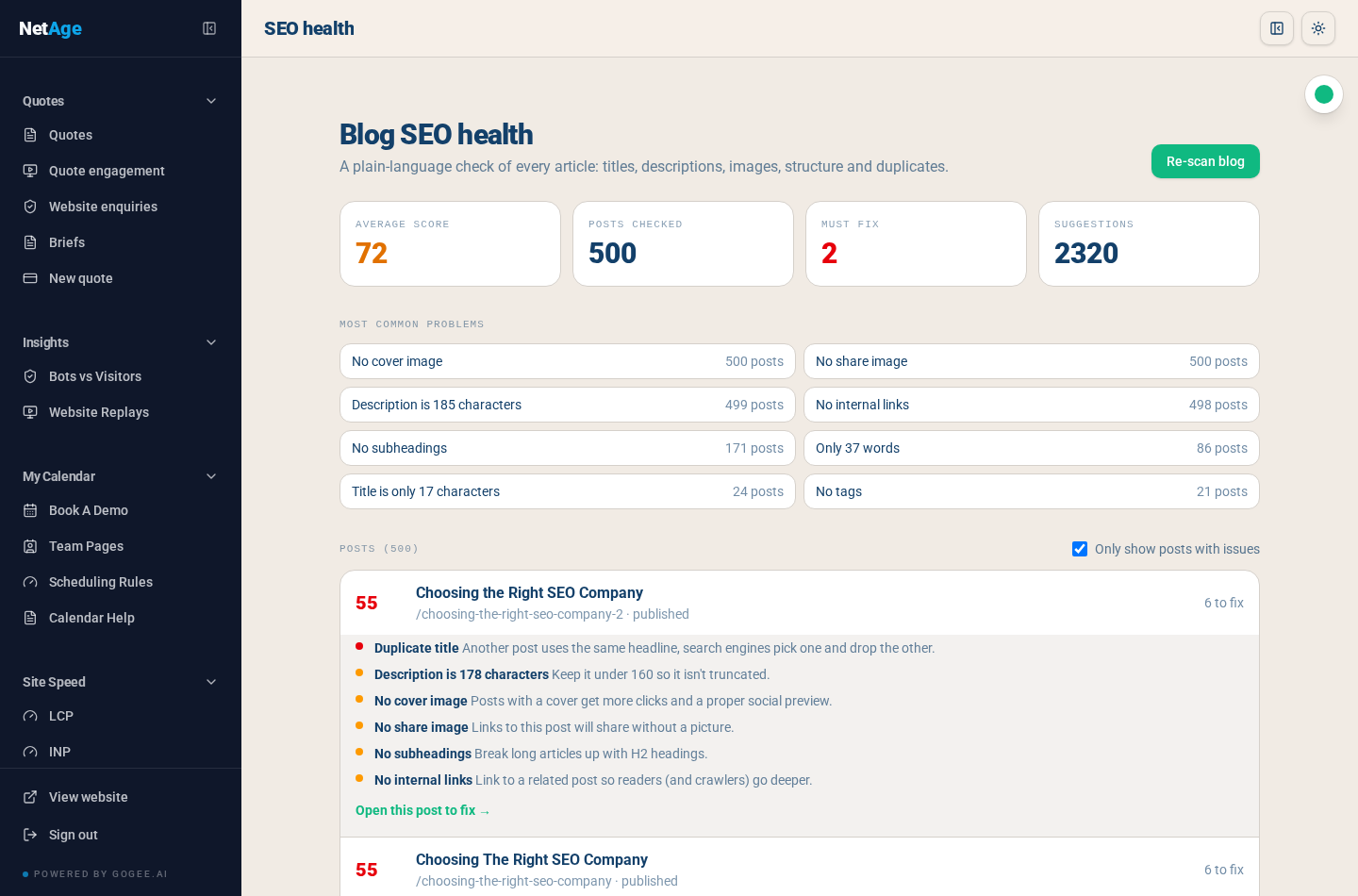
This screen checks every article you have and scores it: titles, descriptions, cover and share images, heading structure, duplicates, thin content, missing tags, missing internal links. It separates the two things people always conflate, must fix and could improve, so a small team knows where to start on a Monday.
Crucially, the wording is human. Not "meta description length exceeds recommended maximum" but "Description is 178 characters, keep it under 160 so it isn't truncated". Not "orphaned node" but "Link to a related post so readers, and crawlers, go deeper". Every issue has an "Open this post to fix" link that takes you into the editor at the right panel. An audit you cannot act on is just an anxiety generator.
The screenshot above is our own blog mid-migration, with 500 imported historical articles being cleaned up, which is exactly the honest state most blogs are in when they arrive.
Scheduling: publishing without a browser open
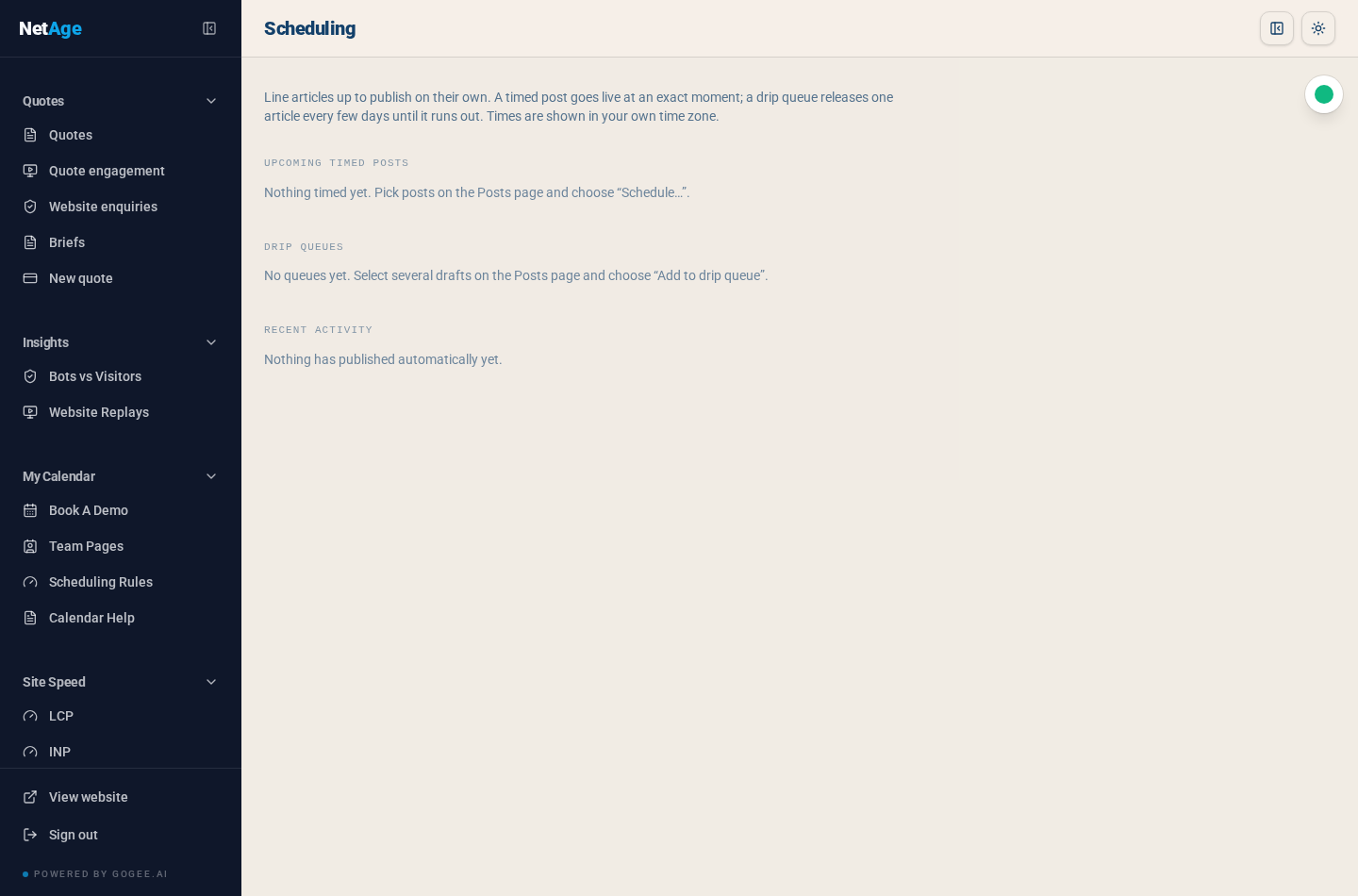
Two modes. A timed post goes live at an exact moment. A drip queue holds a stack of finished drafts and releases one every few days until it runs out, which is how you turn a productive week of writing into three months of consistent publishing.
Both run on the server, on a proper database schedule, not on a browser tab left open or a script on somebody's laptop. Times are shown in your own time zone and stored properly, so a 07:00 publish is 07:00 in Johannesburg and not 09:00 because a server somewhere is set to UTC. Recent automatic activity is logged, so you can prove what published and when.
Search on your own site: free keyword, or paid AI
Readers get two ways to search, and site owners choose what to pay for.
Keyword search is free and unlimited, running on Postgres full text search. Fast, deterministic, no credits.
AI search is the interesting one. Questions are answered conversationally from your own articles, using embeddings to find passages by meaning rather than spelling, then quoting them with citations. Three safeguards make it trustworthy: retrieval is cached per session behind a lock so one visitor cannot trigger the same expensive work five times, irrelevant sources can be blocked by an administrator, and every citation is validated against the article before it is shown. If the quote cannot be found in the source, it is not displayed. That single rule is the difference between an AI answer and a confident invention.
Every AI search is logged with the visitor's thumbs up or down, and those judgements feed back into the prompt as short written lessons a human has reviewed. The search gets better at your content specifically, and the improvements are readable rather than magic.
Traffic and reader behaviour
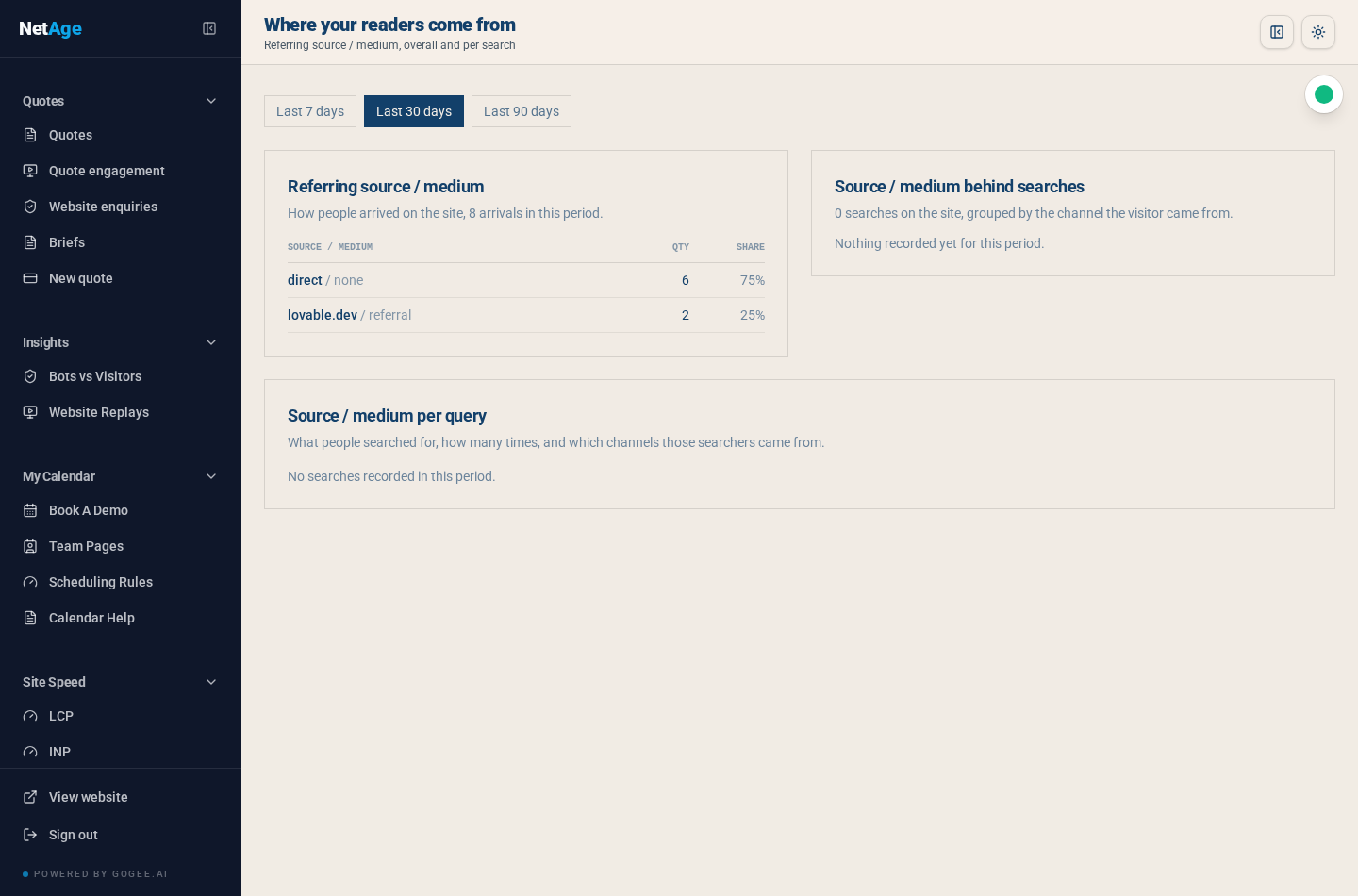
Article analytics stop at page views far too often. We track arrivals by source and medium, what people searched for once they were on the site, and which channel those searchers came from. Alongside that, each article carries scroll depth, read rate and dwell time, so "1,000 views" becomes "1,000 views, 22% read to the end, most of them from one LinkedIn post".
Bots are separated from humans rather than quietly inflating your numbers, and redirects have their own analytics so you can see whether old URLs are still bringing people in.
The things nobody notices until they break
Old links never die
Rename a slug or move an article to a different category, and a redirect is written automatically by the database itself, not by a plugin you might forget to install. Lookups ignore case, trailing slashes and percent-encoded characters, follow chains when a URL has moved twice, and are logged with conversion tracking. Renames never delete existing redirect rows. In practice this means a decade of accumulated links keeps working.
Authors are real
Each author has a profile with a biography, a picture and links, a public page listing their articles, and proper Person structured data. Authors can be enabled or disabled without touching their published work, and the admin list shows article counts and supports bulk export.
Feeds, sitemaps and an API
RSS and Atom feeds, a generated sitemap, and a read-only public API for published articles protected by a site key. That last one is what lets a blog running here appear inside a completely separate website, which is how several of our clients use it.
Getting in and getting out
Import from an existing content system, including a WordPress import that brings across posts, categories, tags and images. Export back out to WordPress format whenever you like. There is no hostage-taking. A content platform you cannot leave is a liability, not an asset.
Credits you can see
AI work costs credits, and the wallet, the ledger and the per-article credit usage are all visible. Charges happen on the server, never on trust from the browser, and every entry is idempotent so a flaky connection cannot bill you twice. Writing, editing, publishing, scheduling, auditing, keyword search and link previews are all free. You spend credits on generation, translation, images and applied link batches, and you can see exactly where every credit went.
Help, and being told when we get it wrong
There is a searchable knowledge base built into the admin area, with an AI help assistant that answers from those documents and costs nothing to use. Next to it is a feedback inbox: anybody on the team can raise an issue, pin it to a specific article and even a specific saved version, and follow it through New, Triaged, In progress and Resolved. Feedback insights groups what people are telling you into themes and trends over 7, 30 and 90 days.
We built that because the fastest way to improve a tool is to make complaining about it easy, and to make the complaints impossible to lose.
Who it is for
blog.gogee.ai suits three kinds of organisation. The business that publishes properly and is tired of maintaining a plugin stack. The business that knows it should publish, has never managed more than three articles, and needs the keyword-to-heading-to-drip-queue path to make it possible. And the business sitting on years of old articles that are quietly costing it traffic, which is what the import, the audit and the internal link engine were built for.
It runs on the websites we build, it is part of the GoGee.ai tool set alongside competitor price tracking and our reporting tools, and it is the same platform publishing the article you are reading right now. That is the honest test we hold ourselves to: we do not sell tools we would not use ourselves every week.
What is next
The roadmap for the rest of the year is unglamorous and entirely driven by what our own editors keep asking for: richer multi-language handling, deeper hub reporting, better before-and-after measurement on every change, and continued work on making the AI panels feel like a good sub-editor rather than a content firehose.
If you publish, or keep meaning to, talk to us or build a brief and we will show you what your existing content looks like inside it, audit and all. It is usually a sobering and very productive first conversation.